¶ Patron Blocks
Patron blocks in FOLIO are intended to serve as checkout limits, and can be used in conjunction with loan rule limits. The loan rule limits limit borrowing for a specific group of items, while the patron blocks cover several facets of borrowing.
The blocks are located under Apps/Settings/Users and Patron Blocks. There are three components:
¶ Conditions
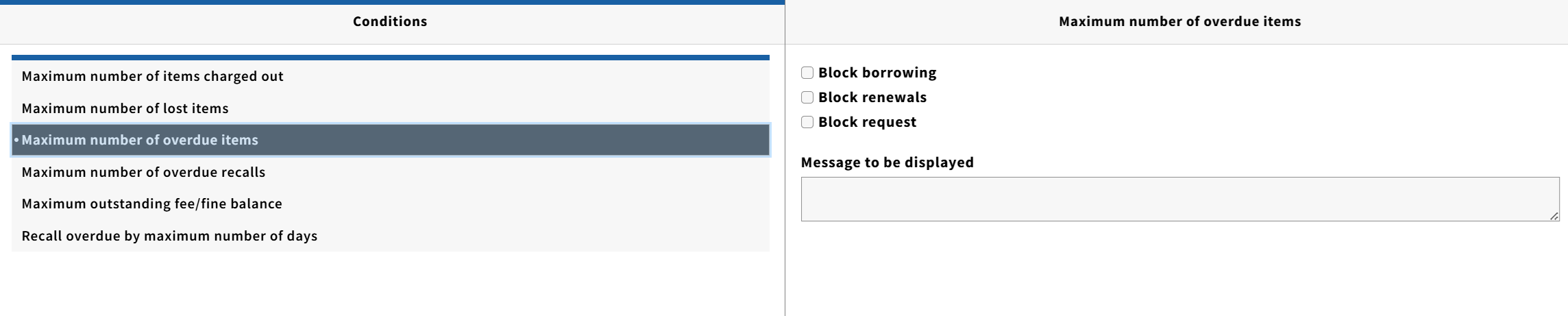
Conditions are the criteria used to trigger a block
- Maximum number of items charged out
- Maximum number of lost items
- Maximum number of overdue items
- Maximum number of overdue recalls
- Maximum outstanding fee/fine balance
- Recall overdue by maximum number of days
Each condition has three possible actions attached to it plus a message for the patron
- Block borrowing
- Block renewals
- Block request
- Message to be displayed (The message “can be accessed by discovery layer tools” to display to a patron when viewing their library account online.)
¶ Limits
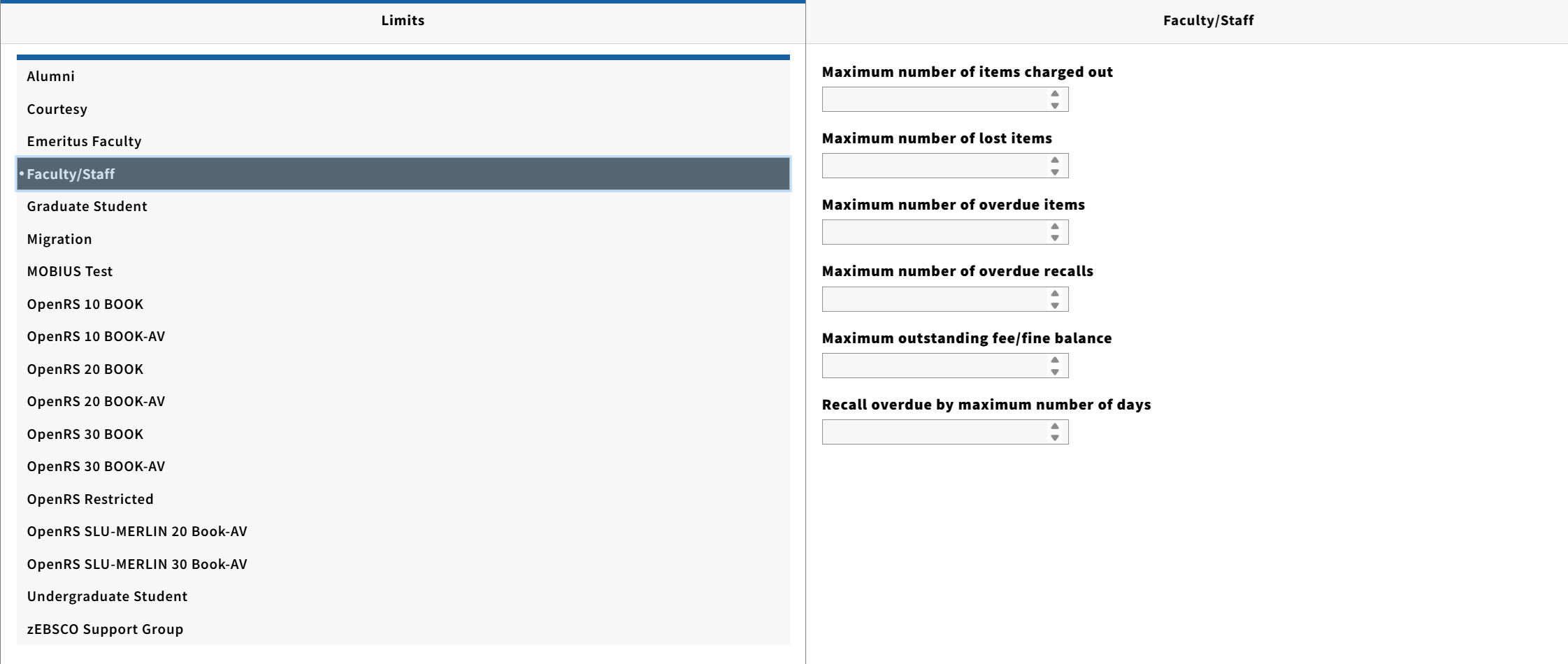
Each patron group in the tenant is listed, and selecting one shows the same list of criteria under Conditions.
A numerical value is signed for the number of items of the incase of fines the balance to trigger the block. Once the Limit is reach, FOLIO checks the Conditions to see what action(s) to take.
¶ Templates
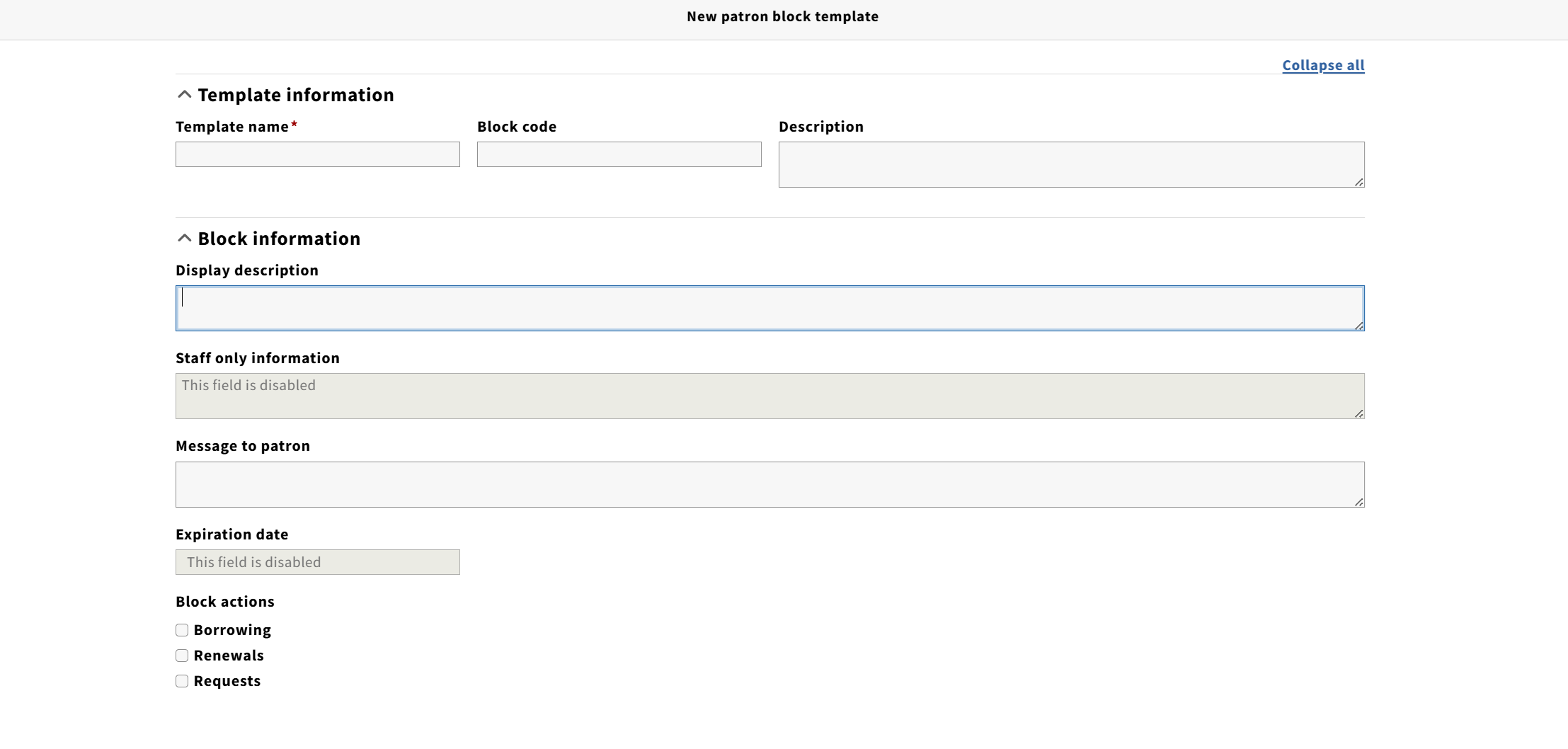
Templates are used for manual patron blocks. These are done in the Users app, selecting a patron record, and then under the Actions menu on the top right selecting “Create Block.” The block can be manually filled in, or the template can be selected to do it automatically. New templates are created by clicking on “New” in the top right corner.
Templates have the following options:
- Template name: A descriptive name for the template
- Block code: An optional code or descriptor for the block, this is free form text and does not show to the patron
- Description: An optional description of the block, this only shows when editing it.
- Display description: A description that shows to staff when applying the block.
- Message to Patron: This shows to staff when the block is applied, and “can be accessed by discovery layer tools” to display to a patron when viewing their library account online.
Lastly are the three actions to take when the block is applied.